How to Manage Wishlist Product


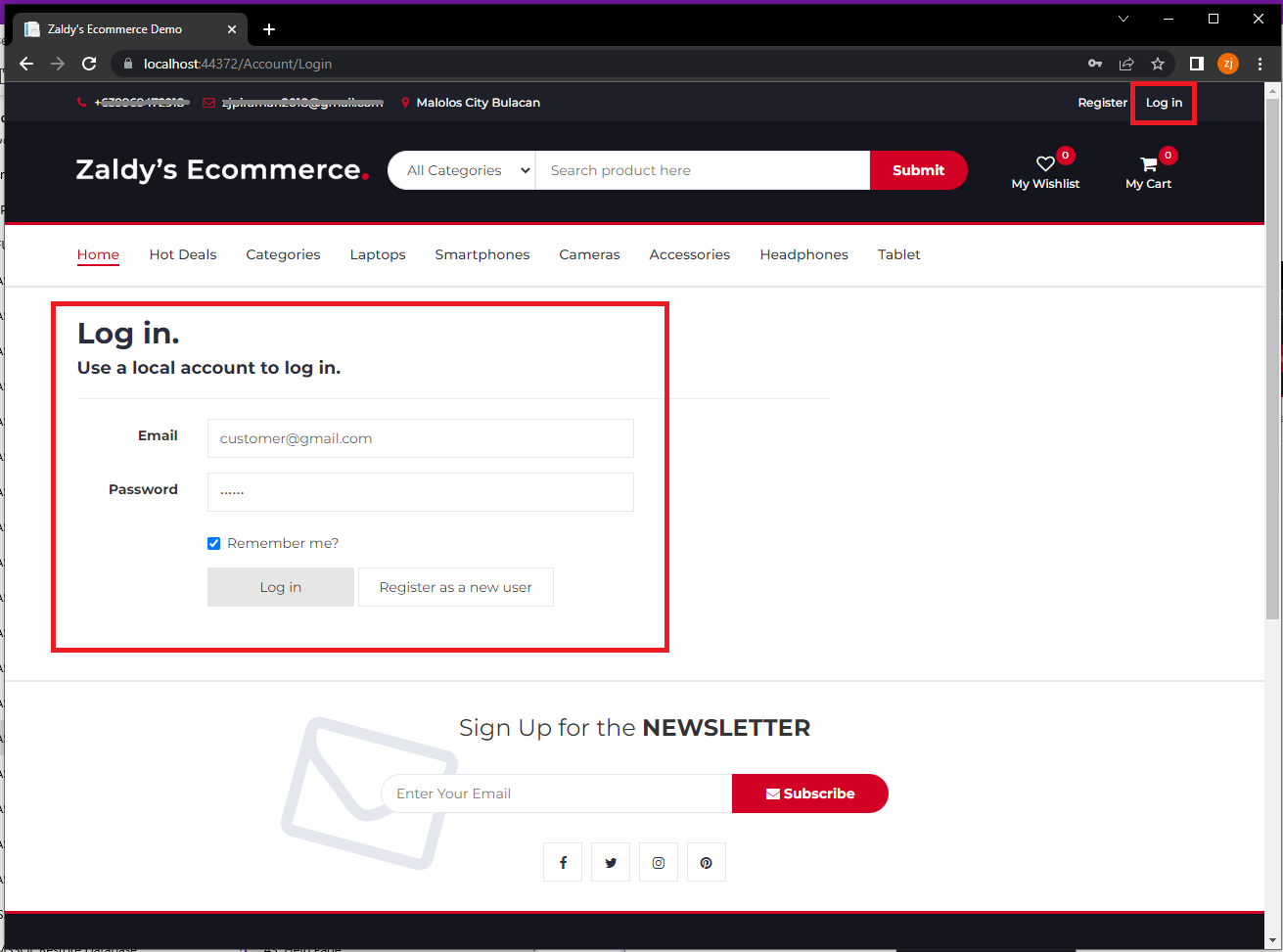
1. Login Customer Account
login customer account

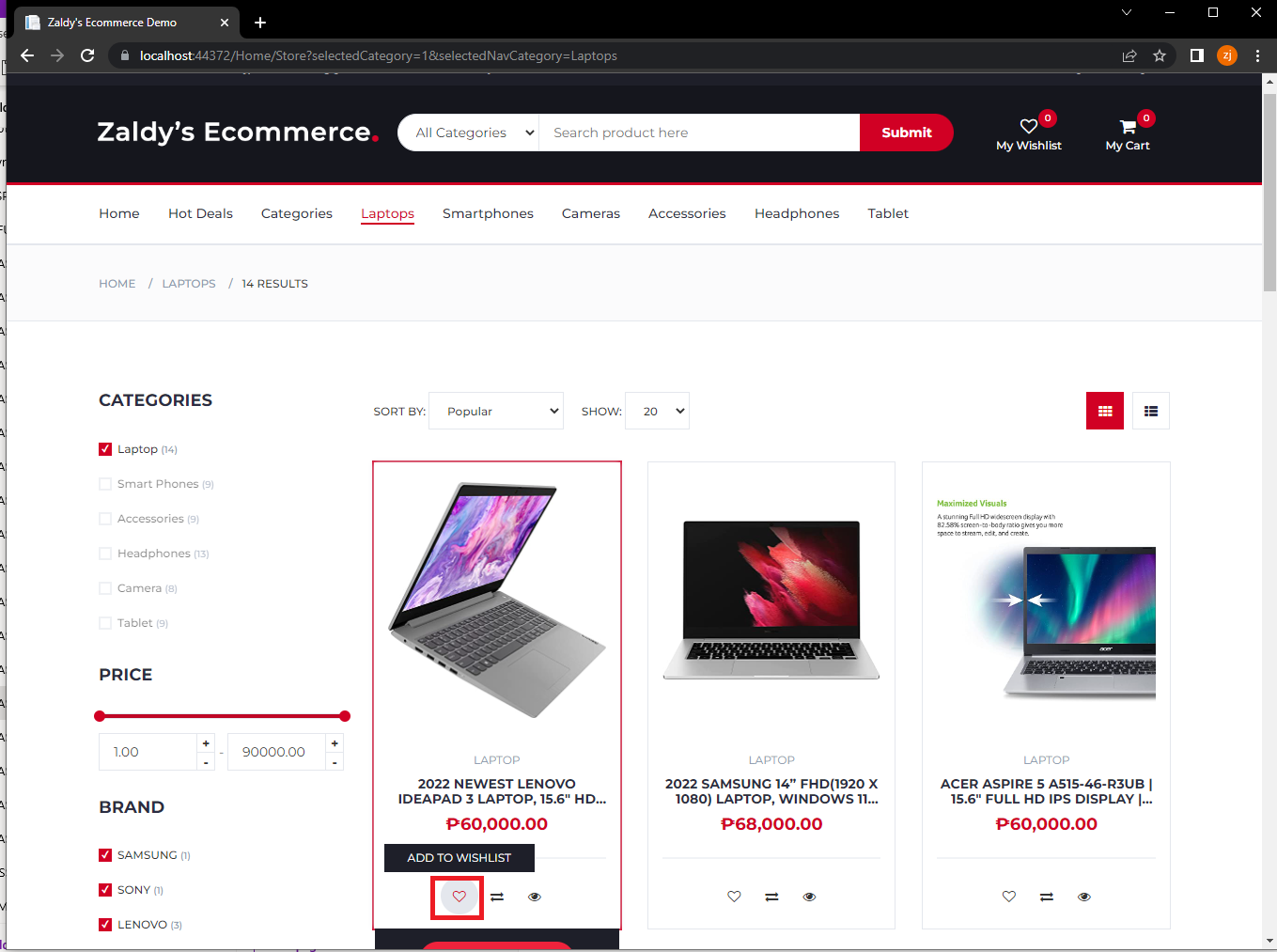
2. To add to wishlist on Product Card View click the heart icon on the bottom of the product image

add to wishlist

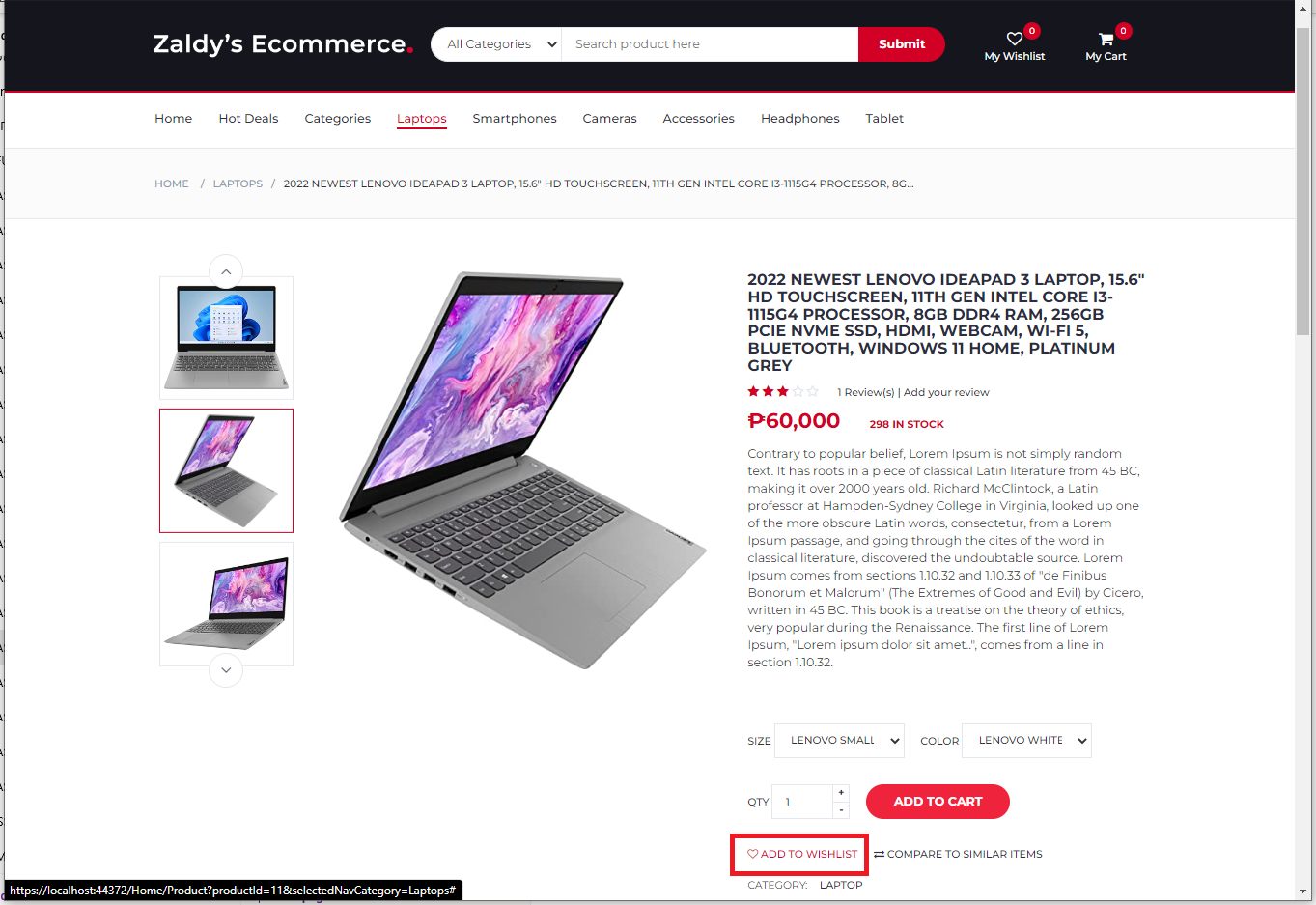
3. To add to Wishlist on product detail page click "ADD TO WISHLIST" button right side of product image

add to wishlist

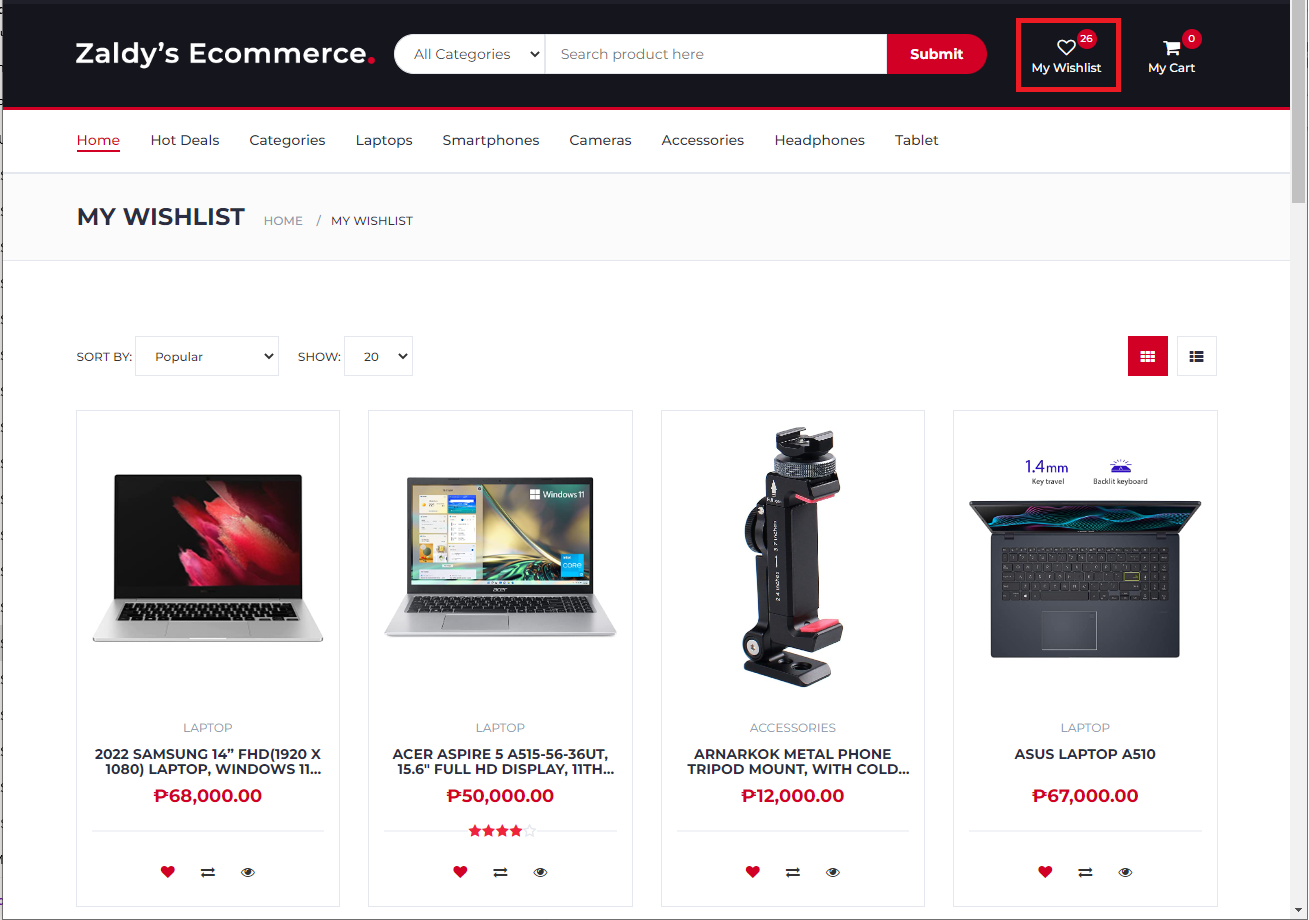
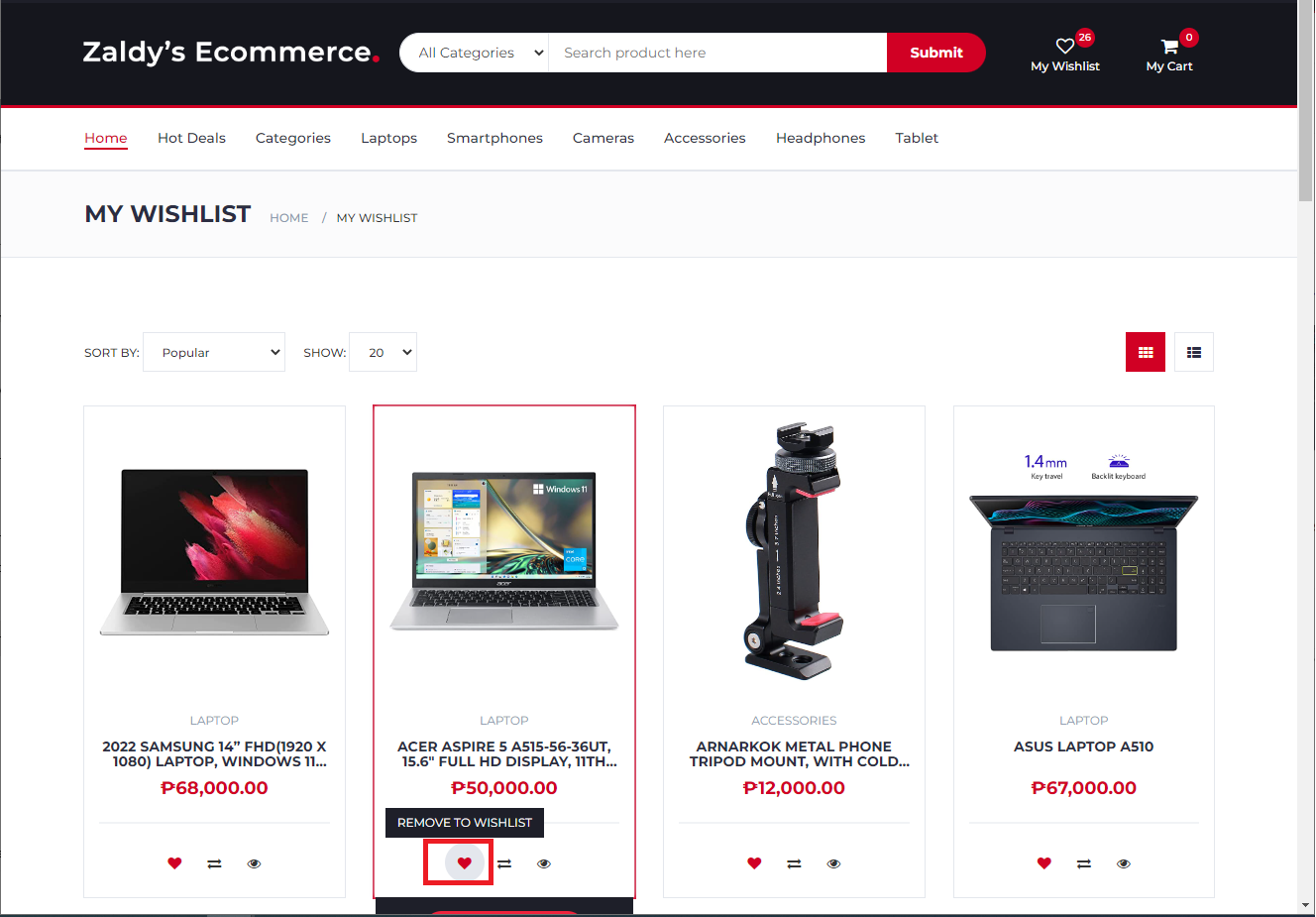
4. To view all product's that added to Wishlist click "My Wishlist" button on main header

view wishlist

5. To remove product from Wishlist click again the heart icon

remove to wishlist
Web hosting by Somee.com