How To Create Paypal Test Account


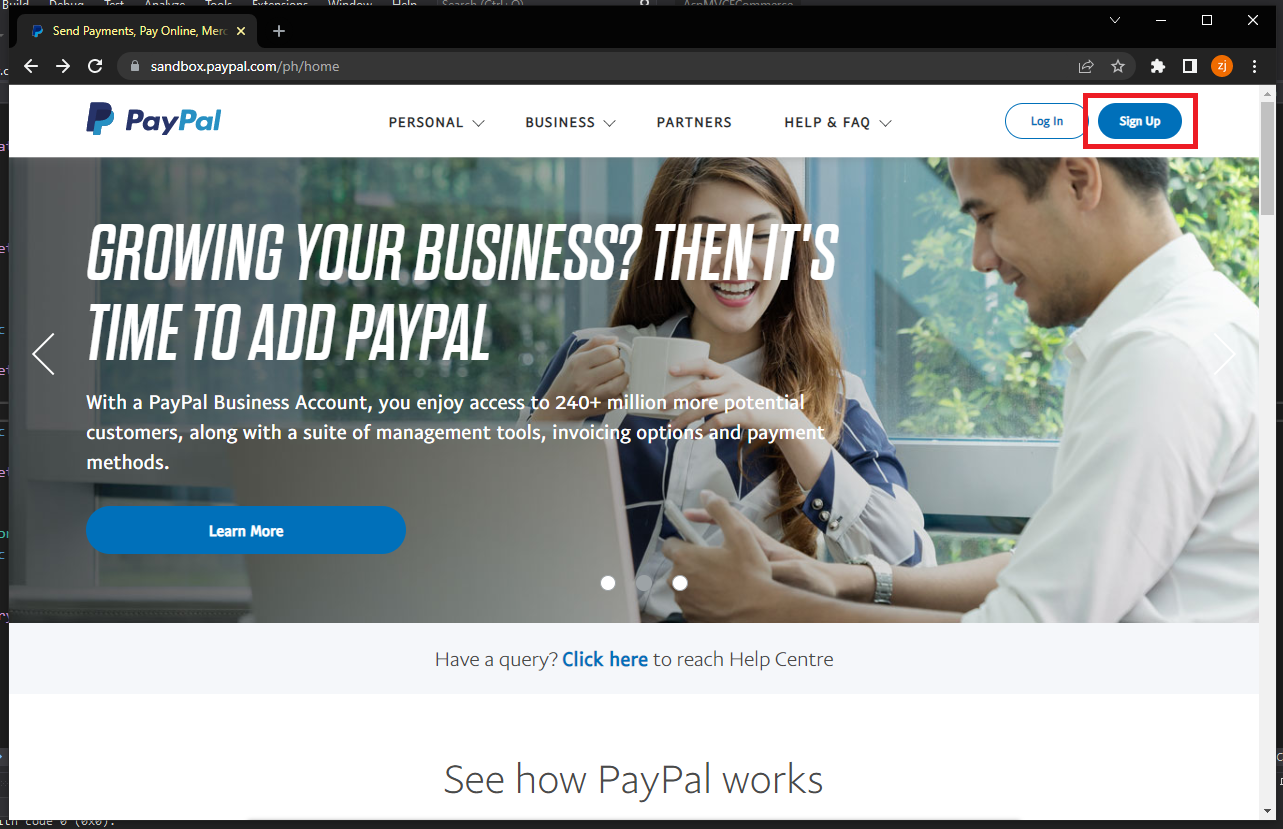
1. Navigate to paypal sandbox website: https://www.sandbox.paypal.com/ph/home then click Sign Up

Paypal home page

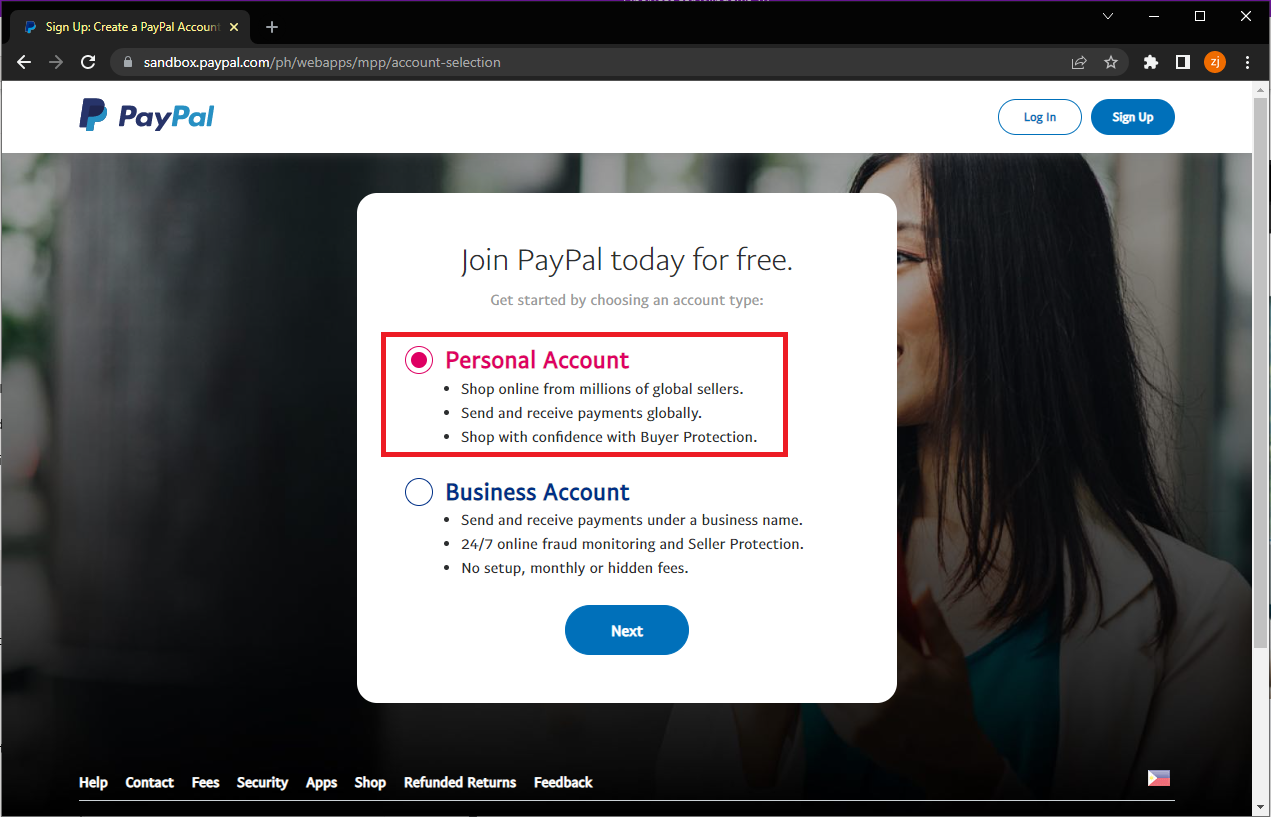
2. Select Personal Account

Paypal account selection page

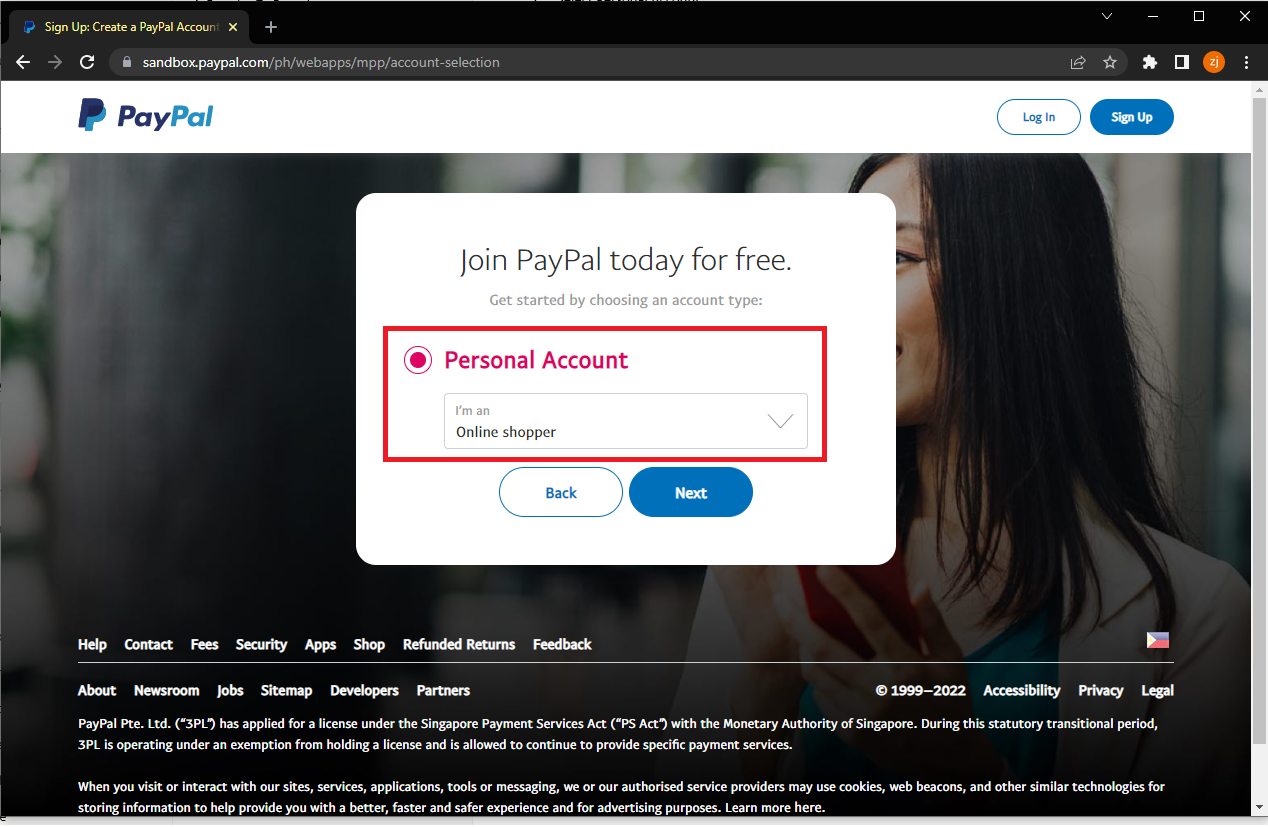
3. On Personal Account Type dropdown select Online shopper

Paypal account selection page

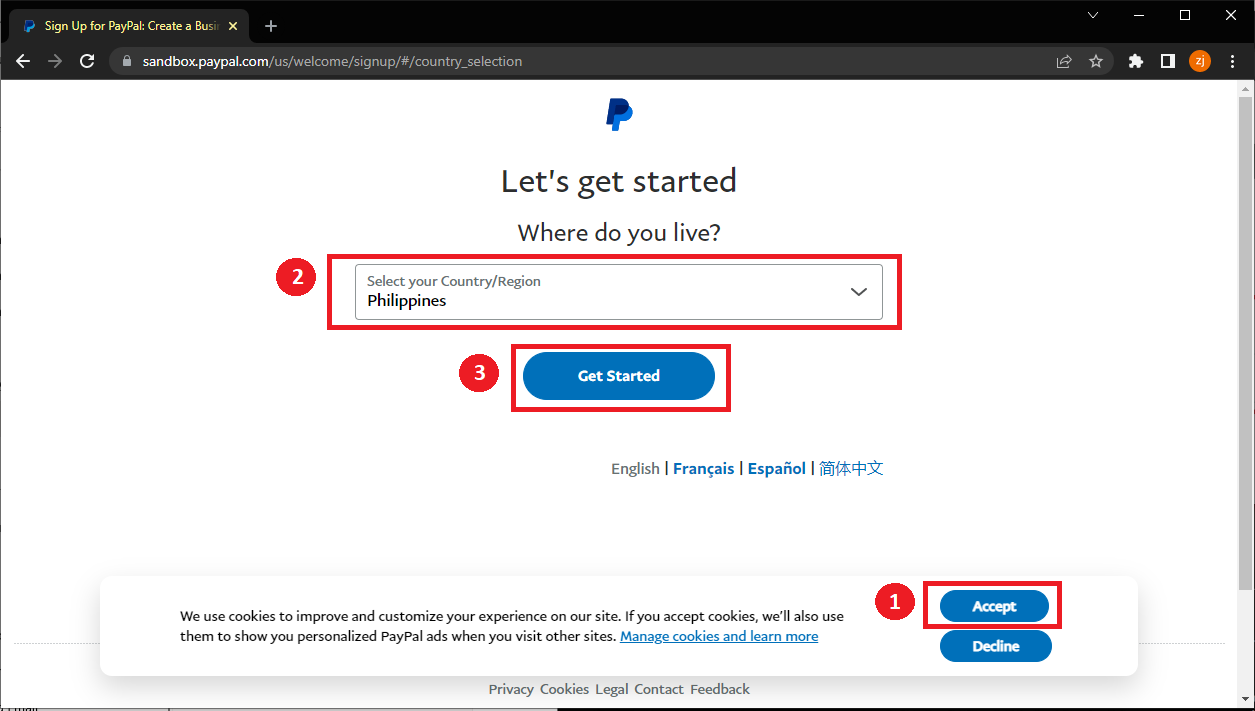
4. On country selection page follow steps as shown below.
Paypal country selection page

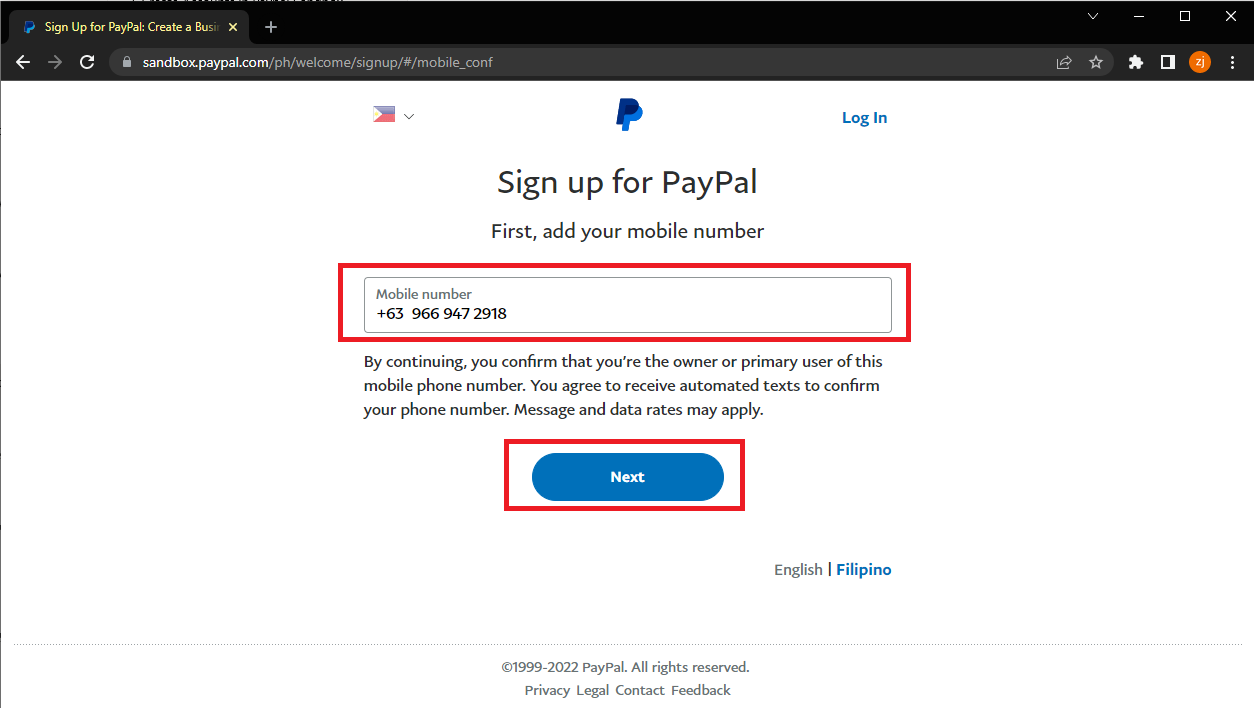
5. On mobile confirmation page Enter mobile number then click next

Paypal mobile confirmation page

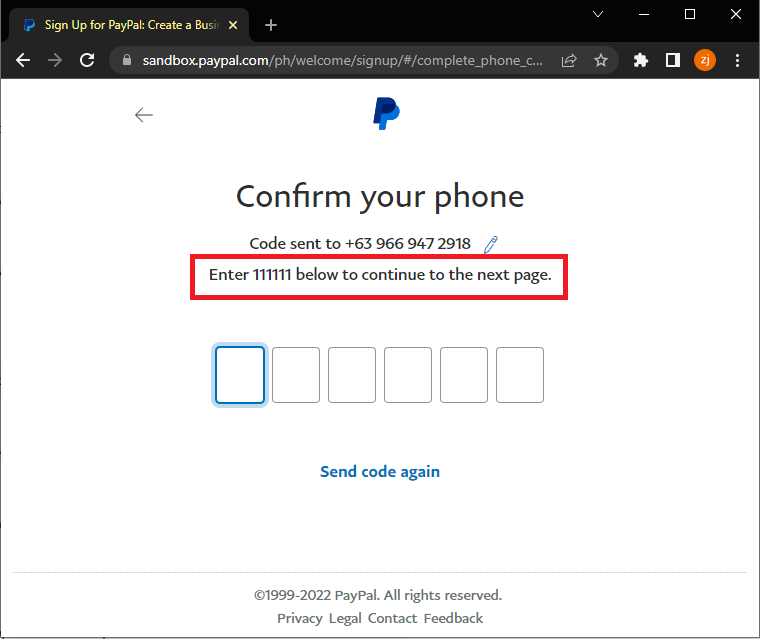
6. On confirm your phone page Enter 111111 as confirmation code

Paypal complete phone confirmation

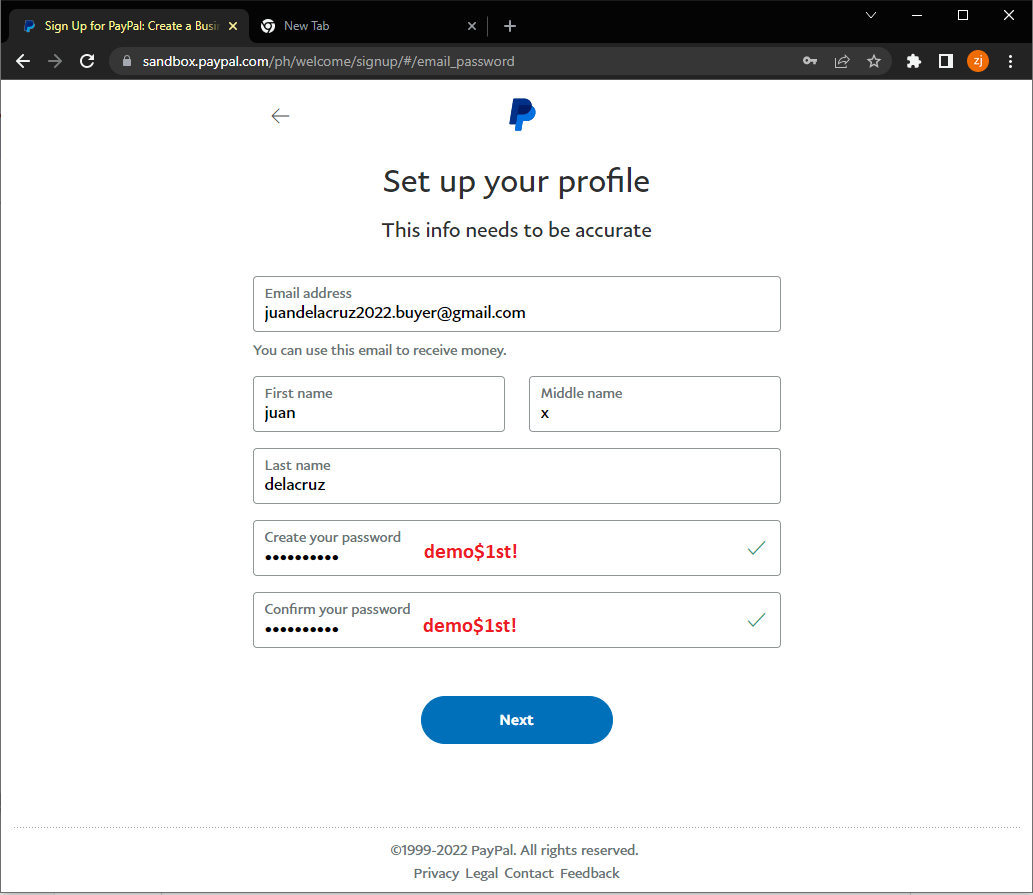
7. Set up profile information

Paypal complete phone confirmation

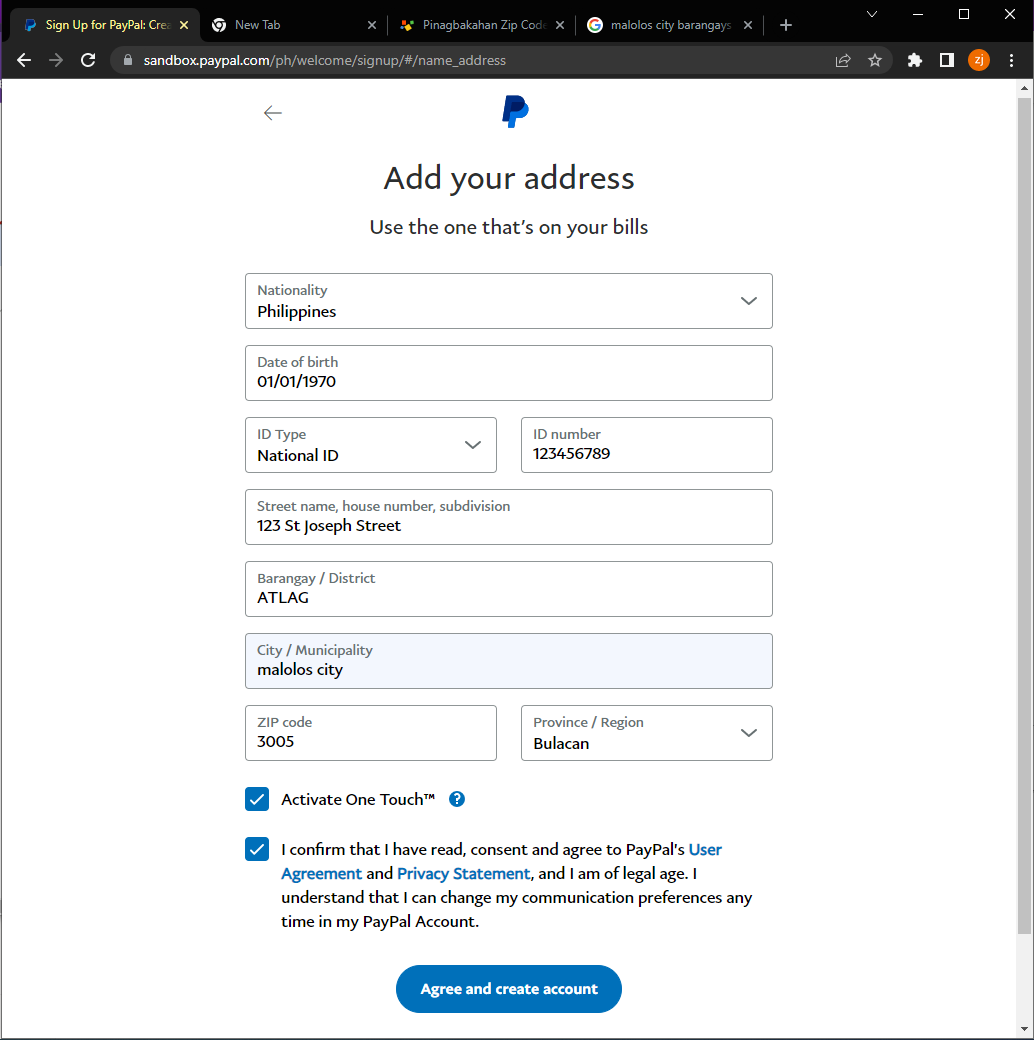
8. Enter billing address information then checked user agreement and click create account

Paypal complete phone confirmation

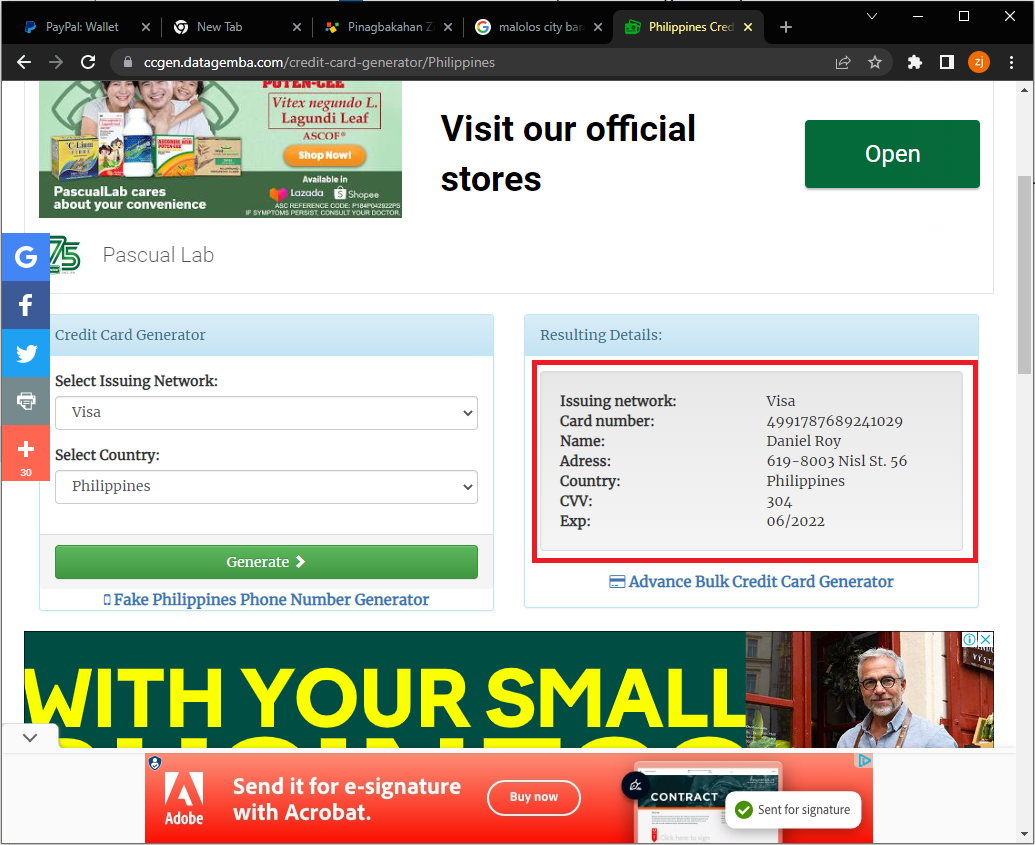
9. Generate fake Philippine Credit card info visit website: https://ccgen.datagemba.com/credit-card-generator/Philippines

Paypal complete phone confirmation

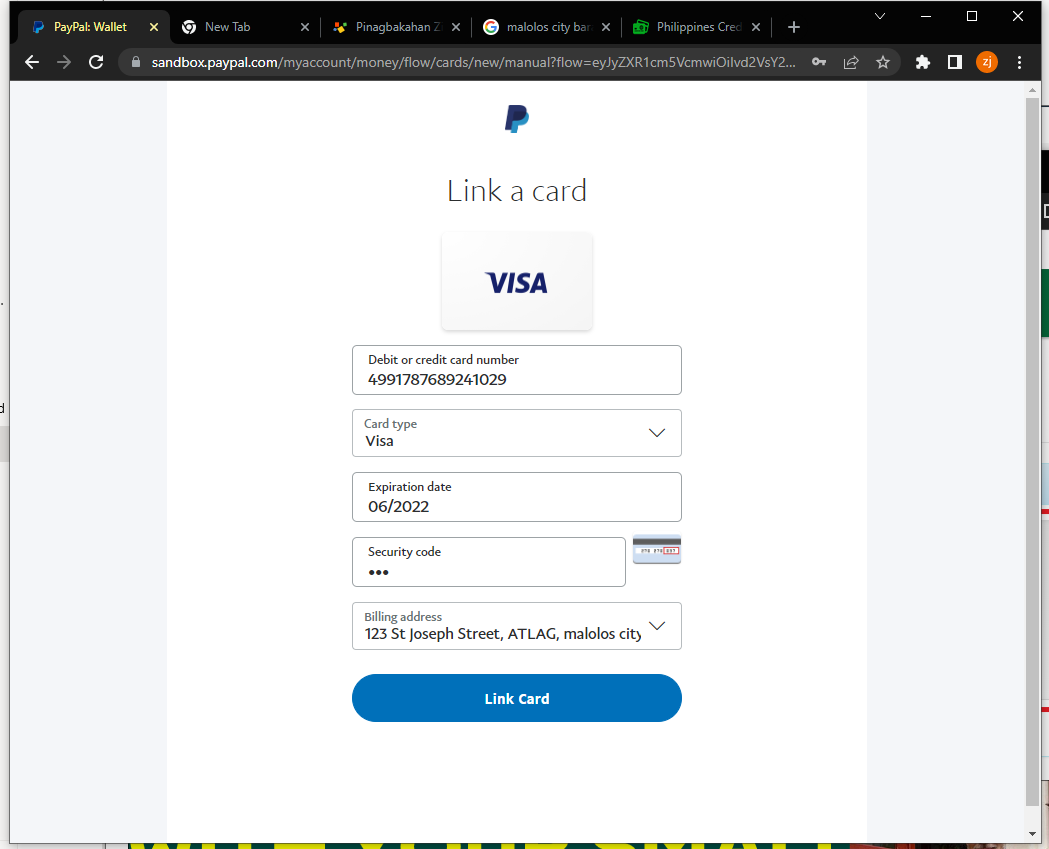
10. Link fake credit card to paypal account

Paypal complete phone confirmation
Web hosting by Somee.com