+639692998680
zaldyjeg.piraman@gmail.com
Malolos City Bulacan
Register
Log in
All Categories
Laptops
Smartphones
Cameras
Accessories
Headphones
Tablet
My Wishlist
0
My Cart
0
0 Item(s) selected
SUBTOTAL: $0.00
View Cart
Checkout
Menu
Home
Hot Deals
Categories
Laptops
Smartphones
Cameras
Accessories
Headphones
Tablet
Help Page
Home
Help
Reviews
How to Add and View Product Reviews (Comment And Rating)
1.
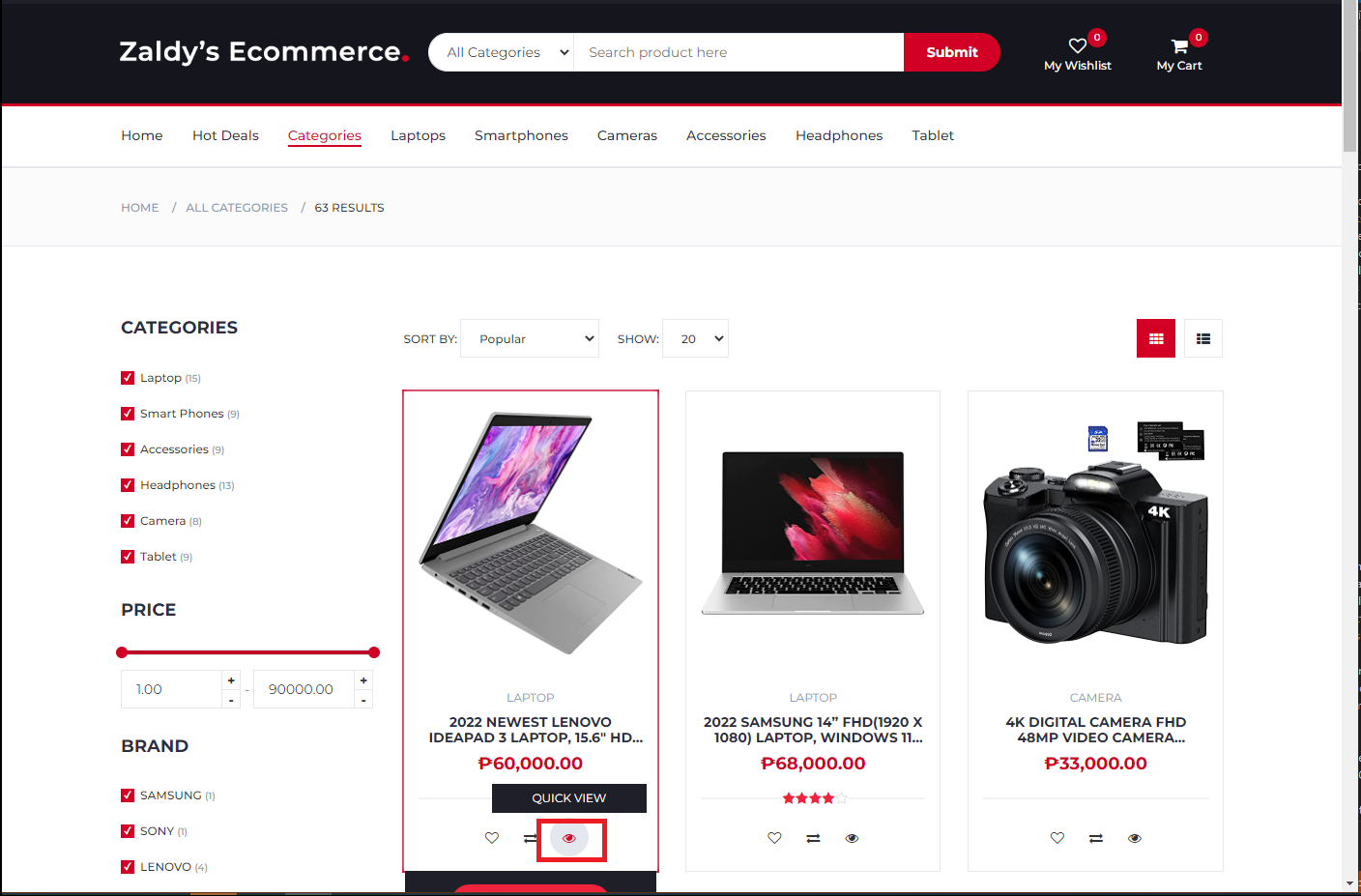
To add comment click Quick View button with the eye icon on the bottom of any product card it will redirect to product detail page
2.
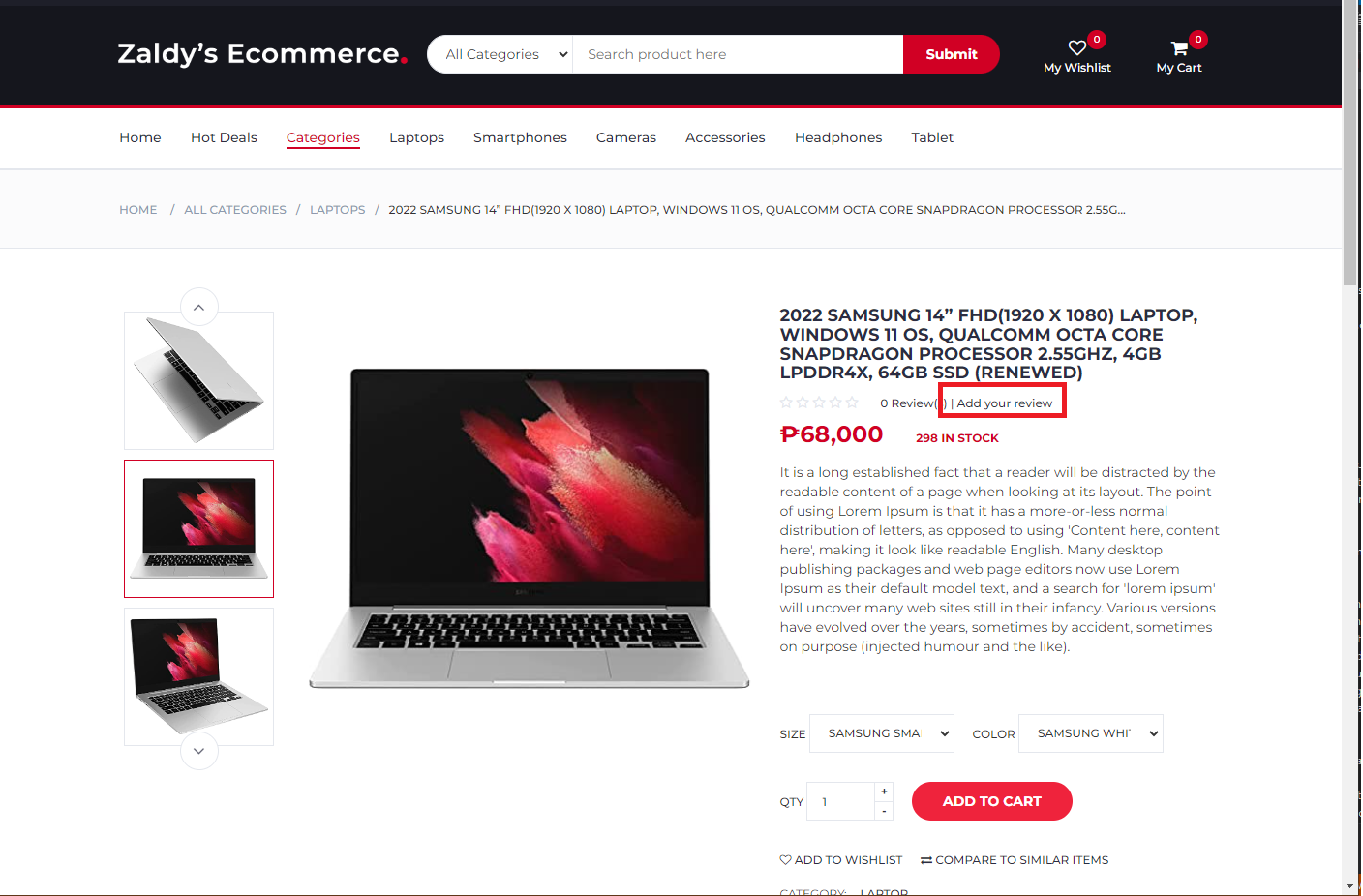
In product detail page click Add Your Review Link located next to product name. It will scroll page to add reviews section
3.
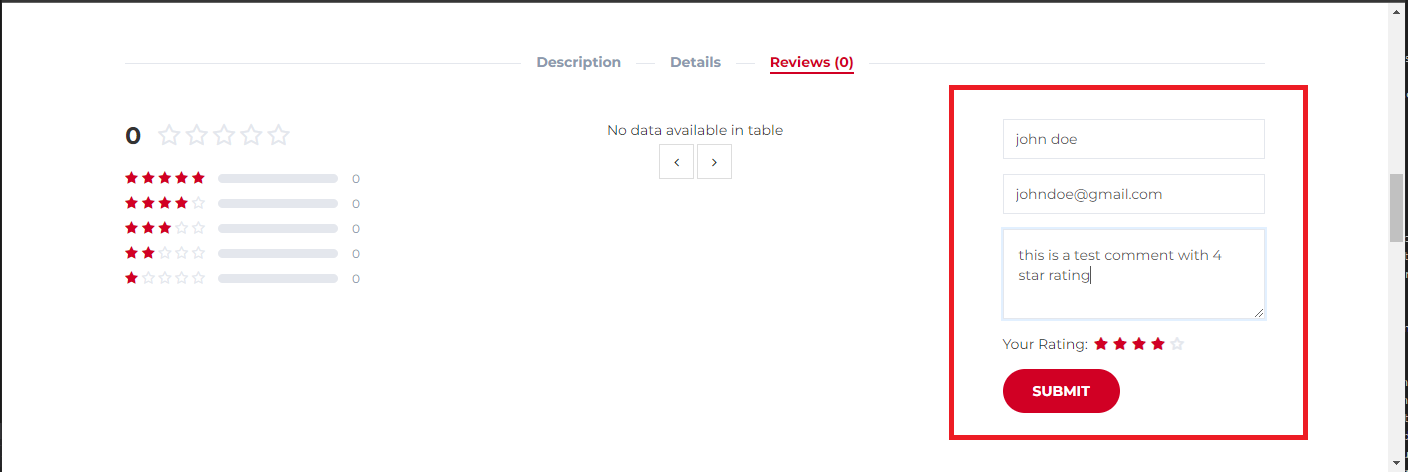
To add reviews enter name, email, comment and click the stars icon for selecting rating
4.
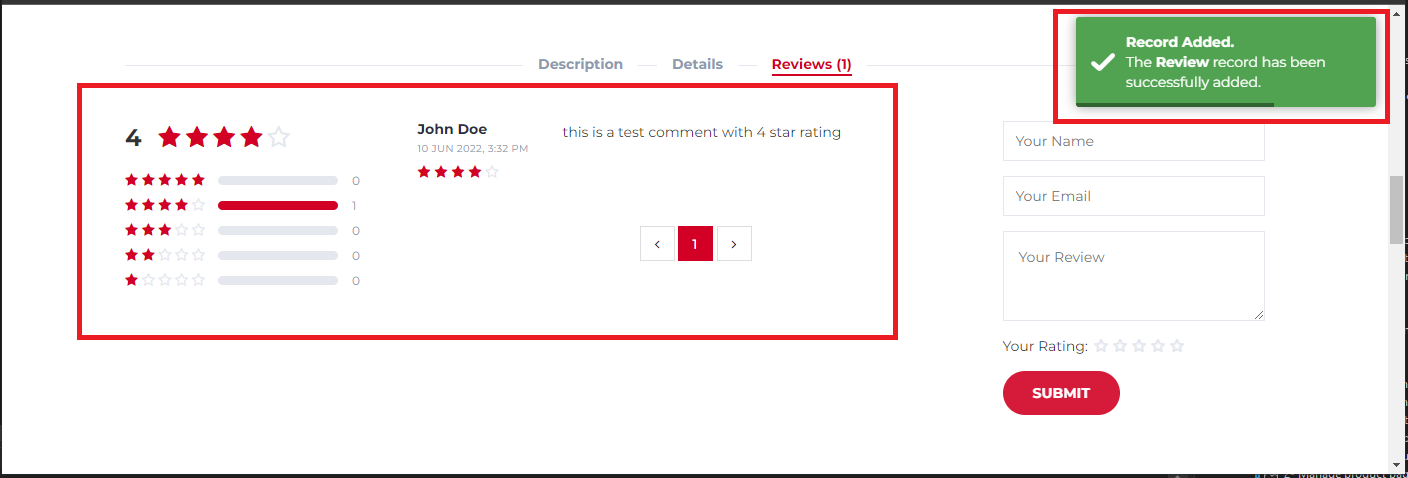
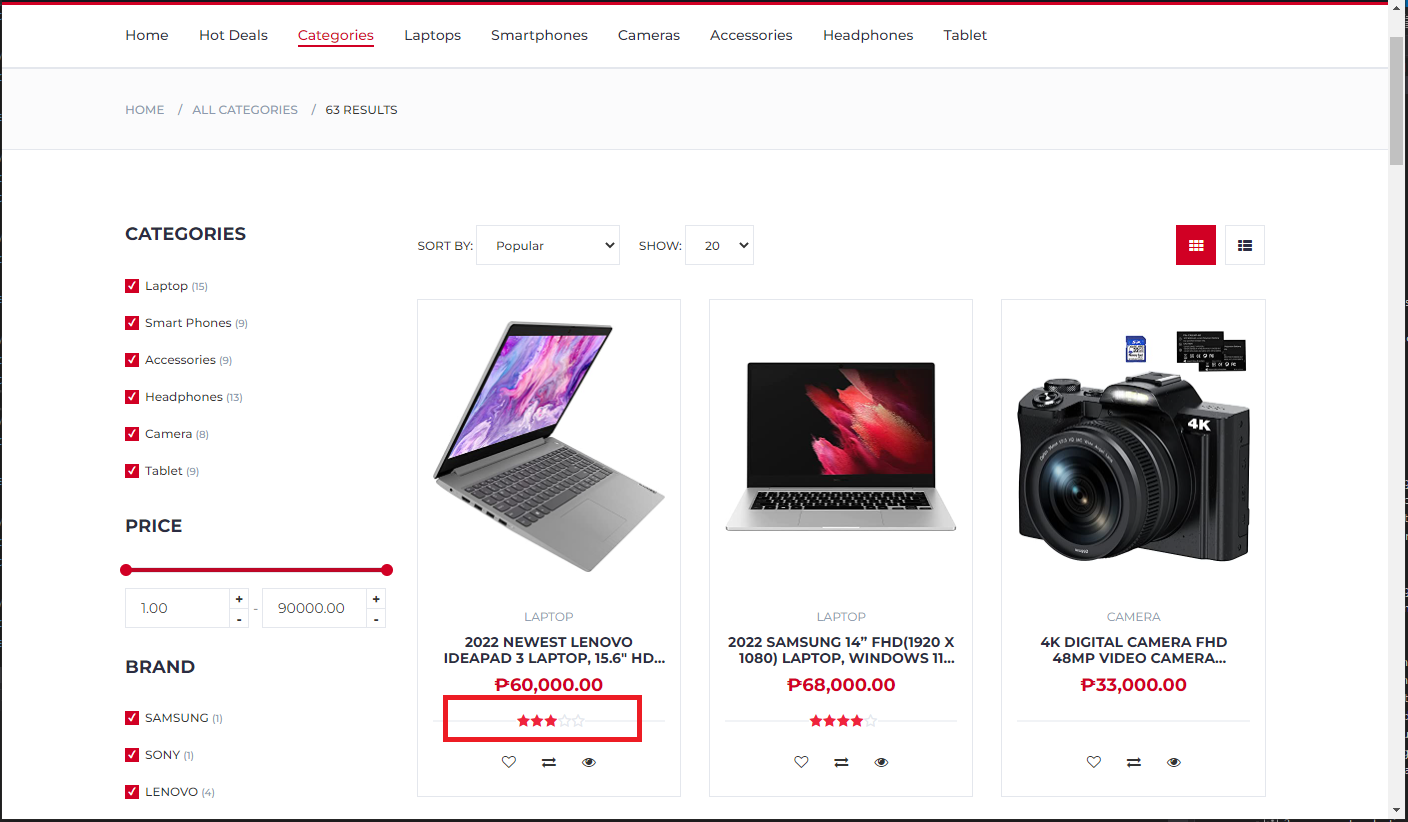
All comments will be added to comment list and the average rating will be displayed on product card
Sign Up for the
NEWSLETTER
Subscribe
×
ADD TO CART
Category
product name goes here
$980.00
$990.00
Size
X
Color
Red
Qty
+
-